Paper & Plan · Printing journal
Printable planner A4: paper sizes & a better first print
A4 paper in your printer? Choose the A4 PDF, match your printer settings and test one page. Every Paper & Plan catalog planner includes A4 and US Letter files, so you can choose your paper size without another purchase.
A4 vs US Letter: what’s different?
A4 is a little narrower and taller than US Letter. They are not interchangeable at 100% scale. Using a Letter PDF on A4 paper can change margins or clip content; use the matching file instead.
| Paper | Size | Common use |
|---|---|---|
| A4 | 210 × 297 mm About 8.27 × 11.69 in | UK, Australia & New Zealand |
| US Letter | 8.5 × 11 in 215.9 × 279.4 mm | US & Canada |
Your paper packaging is the best guide: either size may be available wherever you live. Both PDF versions contain the same planner content.
How to print an A4 planner PDF
- Download the A4 version.
After payment is confirmed, choose the A4 download link for your purchased planner. Save the PDF and open it in a PDF reader rather than printing a preview image.
- Load A4 paper and select A4.
Check both the PDF reader’s print dialog and your printer’s paper settings. Select portrait orientation for these catalog pages.
- Start at actual size, 100%.
Avoid enlargement. Print one page first and check that the text, lines and writing spaces are inside the printable area.
- Print only what you need.
Use the page-range setting for your favourite sheets. Print in colour or grayscale. Test double-sided printing separately before committing to a stack.
Catalog planners use crisp vector text and lines. Custom AI planners are image-based; inspect their preview for text or layout mistakes before buying. Final quality also depends on your printer and paper.
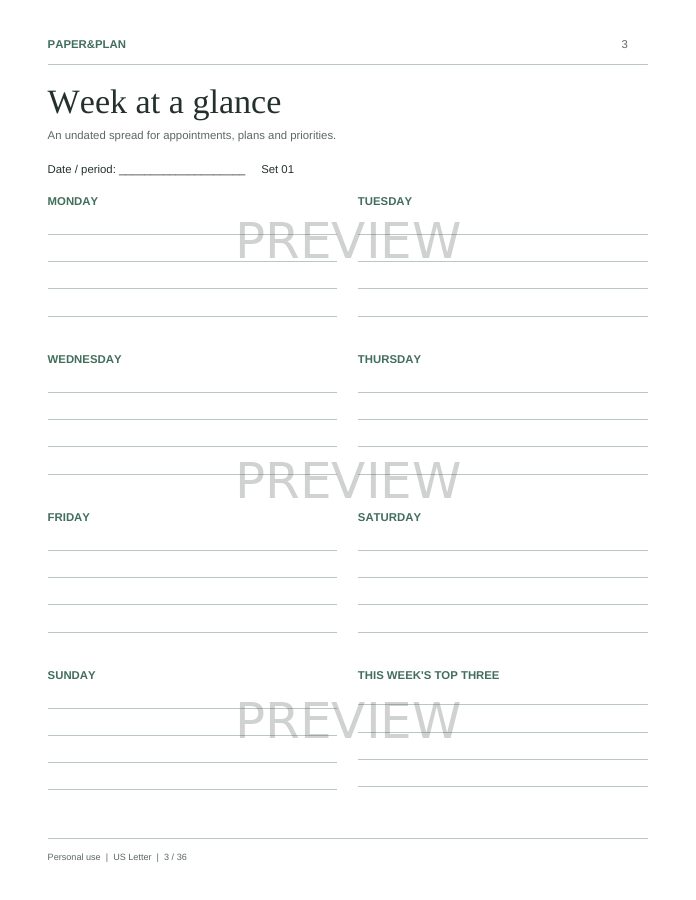
Actual planner pages · Preview watermark is not on purchased PDFs.
Undated Weekly Planner · 36 pages · A4 & US Letter included
Fix the first page before printing the rest
- Edges cut off?
- First match the PDF, paper and printer setting. If an edge still clips, select fit to printable area. This can slightly shrink writing spaces; review a test page.
- Everything looks too small?
- Check that you selected one page per sheet, not multiple pages per sheet. Use the matching A4 file and try actual size rather than an unnecessary scale reduction.
- Want A5 binder inserts?
- A5 is 148 × 210 mm and is not an included file size. Scaling an A4 sheet down reduces text and writing space. For the intended layout, use the supplied A4 or Letter version.
- Using a print shop?
- Bring the purchased PDF and request A4 paper, one page per sheet, without extra enlargement. Ask for one test page. Purchased files are for personal use, not resale or redistribution.
Choose your printable planner in A4
Weekly plans, habits, meals, money or a wedding: choose the pages you will use. Each product below includes both paper sizes. These are paid digital PDFs, not physical planners or free sample downloads.
- The Money Planner
42 pages · A4 & US Letter · $12 USD before tax
- Habit & Routine Kit
24 pages · A4 & US Letter · $8 USD before tax
- Undated Weekly Planner
36 pages · A4 & US Letter · $10 USD before tax
- Meal & Grocery Planner
18 pages · A4 & US Letter · $7 USD before tax
- Wedding Planner
60 pages · A4 & US Letter · $15 USD before tax
- The Everything Bundle
180 pages · A4 & US Letter · $29 USD before tax
Already purchased?
Sign in to My library with your purchase email for your PDF links. If you bought as a guest, use Recover guest purchases after verifying that email. Purchased PDFs do not have the preview watermark.