Paper & Plan · Planning journal
Printable meal planner & grocery list
A useful meal plan starts with the week you actually have—not seven ambitious recipes. Check your pantry, leave room for busy evenings and make one shopping list from the meals you choose.
One place for menus, shopping & pantry notes
The Meal & Grocery Planner is a 18-page printable PDF collection. Use the undated sheets again for a new week, or print just the pages you need.
- Weekly menus
- Grocery lists
- Recipe cards
- Pantry inventory
$7 USD before applicable tax · A4 & US Letter included
View meal planner & buyDigital PDFs for personal use. No physical planner is shipped. The preview is watermarked; purchased PDFs are not.
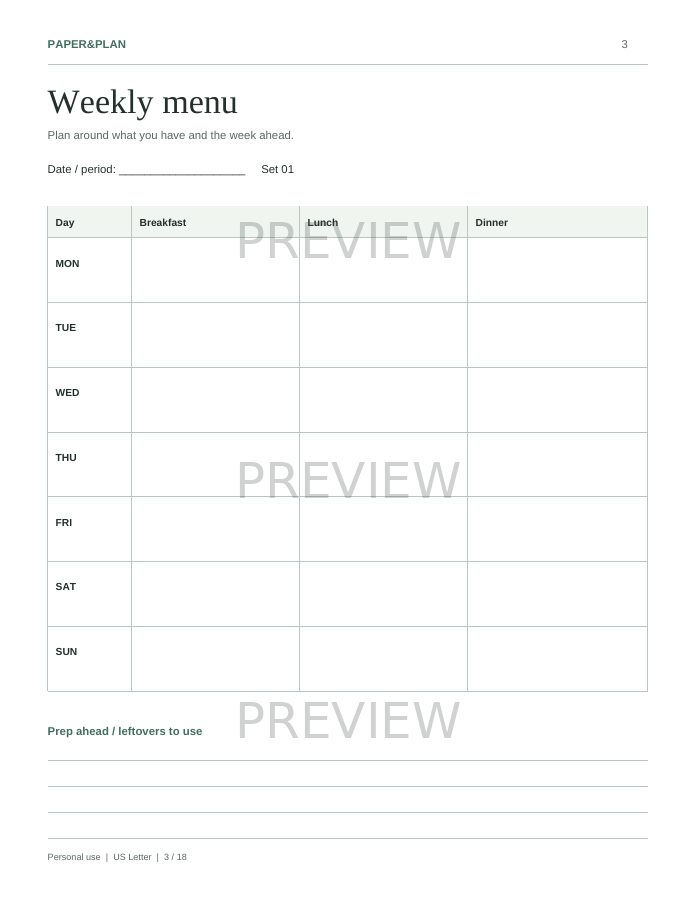
Actual planner pages · Preview watermark is not on purchased PDFs.
How to plan a realistic week of meals
- Check what you already have.
Look in the fridge, freezer and pantry. Note ingredients you want to use first, and cross off anything that is no longer safe to eat.
- Look at your calendar.
Mark evenings when you have less cooking time or will eat elsewhere. Give the easiest meals those busy slots.
- Pick a few familiar meals.
Repeat a favourite, add one new recipe if you want, and choose meals that share ingredients. You do not need a different recipe every day.
- Leave a flexible slot.
Reserve an evening for a simple pantry meal or safely stored leftovers. Plans can change without making the whole menu unusable.
- Review before the next shop.
Keep the meals that worked. Adjust portions or ingredients based on what your household actually used.
An example dinner week
Monday: vegetable pasta. Tuesday: rice bowls. Wednesday: a quick omelette or bean toast. Thursday: a tray bake. Friday: tacos. Saturday: a favourite recipe. Sunday: a flexible pantry meal. Swap ingredients and portions for your household’s preferences and dietary needs; this is a planning example, not a nutrition plan.
Turn your menu into one grocery list
Combine, then subtract
List the ingredients for each meal and combine repeated items. If two recipes need onions, write one total rather than two separate entries. Subtract the usable ingredients you already have, then add breakfasts, lunches, snacks and household staples.
Group by the shop’s layout
Put produce, chilled items, pantry goods and frozen foods together. Add a quantity next to each item and check it off as you shop. Save recipe notes on a recipe card so next week’s list is easier to put together.
A list can help you notice duplicate purchases, but savings depend on what you buy and use. Set a shopping budget before choosing extras rather than assuming a planner will guarantee lower bills.
Passion Planner & OnPlanners: customer reviews and resources
Compare the writing space, menu layout and printing options before choosing a planner. These links lead to the providers’ own template pages, where you can read customer reviews—not independent reviews of Paper&Plan.
Passion Planner: Meal Plan and Grocery List
Explore its meal-plan and grocery-list resource and read the customer feedback on the product page. Check the current download requirements directly with Passion Planner.
Read Passion Planner customer reviewsOnPlanners: Weekly Meal Plan with Shopping List
Compare the weekly menu and shopping-list template, its available paper sizes and customer feedback. Check current options and terms directly with OnPlanners before downloading.
Read OnPlanners customer reviews
External resources are for comparison. Paper&Plan is not affiliated with either provider, and their reviews are not endorsements of our planners.
Print your meal planner in A4 or US Letter
Choose the A4 PDF for 210 × 297 mm paper or the Letter PDF for 8.5 × 11-inch paper. Match the printer’s paper setting, start at actual size (100%) and test one sheet. If edges clip, try fit to printable area. Catalog PDFs use vector text and lines; print the purchased PDF, not the preview image.
Where to find your purchased PDFs
After payment is confirmed, download the Letter or A4 version. Already purchased? Sign in to My library with your purchase email. For guest purchases, verify that email and select Recover guest purchases.